A technology company preparing to launch a new digital product had finalized its brand identity but not its domain strategy. As is common among early-stage teams, the initial plan was to register a single domain and move on. Without a broad...
Read More about Domain Registration for a Technology StartupDomain Hosting Services You Can Actually Rely On
Every website, storefront, and business email system runs on a domain and how well that domain is registered, renewed, transferred, and managed determines whether it stays online or becomes a liability. Niya Digital has spent over 20 years helping businesses get this right, with practical, technically grounded guidance instead of guesswork.
Domain Registrations @ $14.99 | Domain Renewals @ $15.99
Real support, real people, no queues, no scripts.


Managed by an experienced engineering team with two decades of hands-on experience in domain registration, DNS management, and enterprise hosting.
Proudly partnered with multiple ICANN-accredited registrars to bring you an authorized, comprehensive, and fully supported domain experience.
*1dollardomainhosting is owned & operated by Niya Digital.
Domain Hosting vs. Web Hosting: What's the Difference?
"Domain hosting" gets used loosely often as a stand-in for domain registration, DNS hosting, and web hosting all at once, even though each is a distinct product. Knowing the difference means troubleshooting problems faster and buying the right thing the first time, instead of assuming one provider automatically handles everything correctly.
Domain Hosting vs. Web Hosting
Domain hosting is the DNS infrastructure that stores and serves a domain's records the entries that point to a website's IP address, route email, and verify ownership for third-party services. Web hosting is different: it's where the actual files, databases, and application code that make up a website live. A single domain can be registered with one company, have its DNS hosted by a second, and its website hosted by a third — all three layers have to work together for the site to function.
Most small businesses bundle all three into one account for simplicity, which works fine until the business outgrows it or needs specialized DNS features like geo-routing or advanced load balancing. Larger organizations often split these layers deliberately — a dedicated DNS provider for performance and redundancy, paired with a registration reseller that offers strong renewal tracking. Knowing which layer actually failed during an outage, rather than assuming the whole stack is down, saves real diagnostic time.
Providers running Anycast DNS networks which distribute a domain's records across many global data centers — generally deliver faster resolution and better uptime than a single-server setup. For time-sensitive applications like checkout flows and login systems, DNS hosting quality deserves the same scrutiny as web hosting quality, since a DNS outage can take a site down just as completely as a server crash, often with no obvious warning sign.
How a Domain Actually Resolves
When someone types a domain into a browser, a recursive resolver (run by an ISP or a public DNS service) queries the root servers to find that domain's authoritative nameservers, then queries those nameservers for the DNS zone file. This lookup typically takes milliseconds and gets cached according to each record's Time to Live (TTL) — which is why DNS changes can take anywhere from minutes to 48 hours to fully propagate worldwide.
A DNS zone contains several record types, each with a specific job: • A records — point a domain to an IPv4 address. • AAAA records — the IPv6 equivalent. • MX records — direct email to the correct mail servers. • CNAME records — alias one hostname to another. • TXT records — hold verification strings or email authentication policies.
Because each type controls a distinct function, one misconfigured MX record can silently break inbound email while the website keeps loading normally — a mismatch that frequently sends teams troubleshooting the wrong system entirely.
Modern DNS platforms also support DNSSEC for cryptographic verification, location-based routing, and automated failover. When evaluating a provider, ask specifically about these — a provider offering only bare-minimum DNS hosting may leave a growing business without the redundancy it needs once traffic and revenue scale past a single server.
Domain Registration: How It Works and What to Get Right
Domain registration is the start of a domain's entire lifecycle, and getting it right the first time avoids a surprising number of downstream problems.

How Domain Registration Works
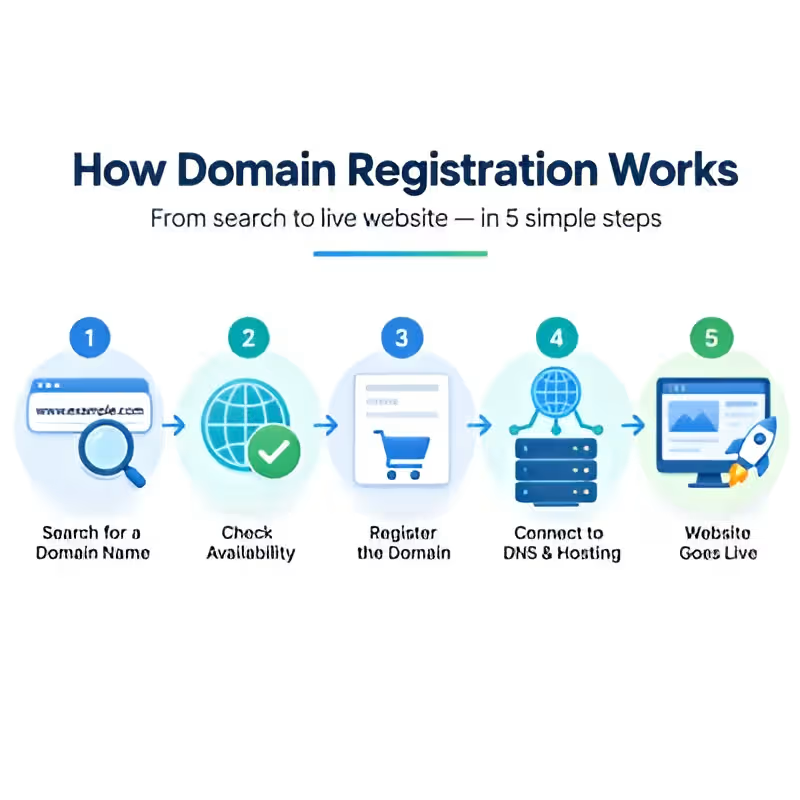
Registration begins with an availability check against the registry's database. Once a name is confirmed available, the registrant submits contact details for four roles: registrant, administrative, technical, and billing. The registry stores this information, and it may appear in public WHOIS records unless privacy protection is enabled. Payment is processed, and the registrar transmits the request to the registry via EPP (Extensible Provisioning Protocol), the standardized language registries and registrars use to communicate.
Once accepted, a domain is typically active within minutes, though full global DNS propagation can take up to 48 hours. At this point, immediately:
- Configure nameservers.
- Verify WHOIS contact information is accurate.
- Enable transfer lock.
Skipping these steps is one of the most common reasons businesses struggle to prove ownership later during a dispute, an audit, or a transfer years down the line.
Businesses registering multiple domains should also establish a clear process for who has authority to register new domains and under which account. Domains registered informally by individual employees, under personal payment methods or email addresses, are a common source of ownership confusion, especially once that employee leaves. Centralizing registration under one company account with documented access avoids this entirely predictable problem.

Choosing the Right Domain Extension
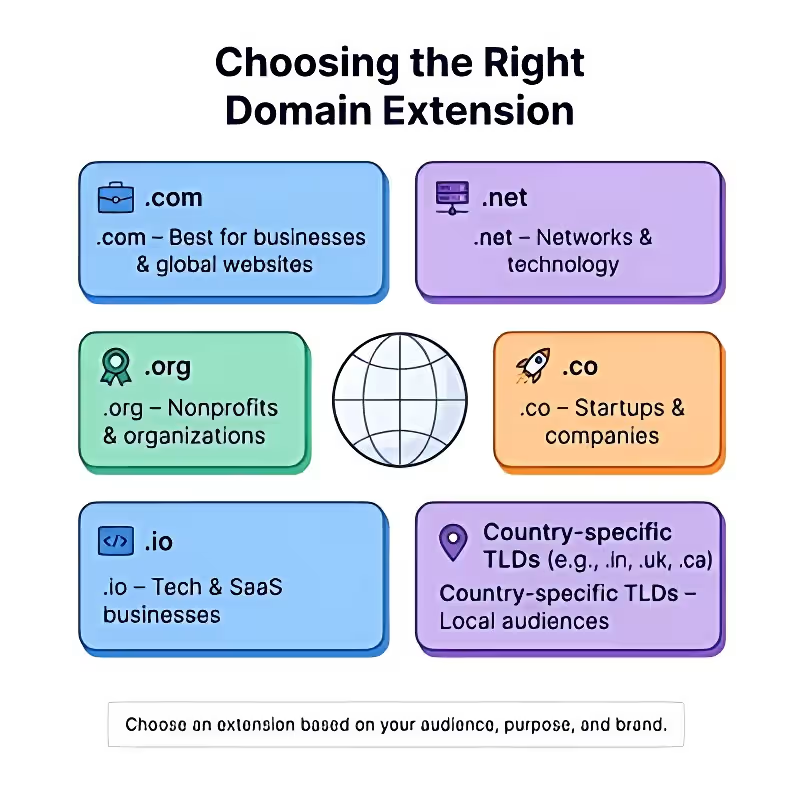
Selecting a TLD is a strategic decision, not just a matter of picking whatever is available. The .com extension remains the global default and offers the strongest baseline recognition from decades of familiarity. Businesses with broad or international ambitions typically prioritize securing it, even if they use a different extension regionally.
Newer generic TLDs such as .shop, .tech, and .store support more specific brand positioning but usually require more marketing effort to build the same level of trust as established extensions.
Country-code extensions (ccTLDs) signal a direct connection to a specific national market and can provide search relevance advantages for businesses focused on that region. Many organizations register both a global gTLD and relevant ccTLDs defensively, using the ccTLD for localized content while keeping the gTLD as the primary global presence. This also helps prevent competitors or squatters from acquiring confusingly similar domains under different extensions.
Beyond the extension, keep the domain name short, pronounceable, and free of hyphens or numbers. These details directly affect whether users type an address confidently or search for it instead. Before finalizing a domain name, check trademark databases to avoid legal disputes or forced domain transfers after investing in the brand.
Domain Renewal: Avoiding Accidental Expiration
A domain isn't registered indefinitely. It runs on a renewal cycle, and missing it triggers a defined lifecycle with real financial consequences at each stage. Renewal deserves the same operational discipline as any other recurring business-critical payment.
Renewal Process
Most registrars send renewal reminders 60 to 90 days before expiration, but acting on them is ultimately the registrant's responsibility. Renewal itself is a simple transaction. Confirm the term length, typically one to ten years, complete the payment, and the registry extends the expiration date. For businesses managing several domains, renewal dates rarely align, making individual tracking far more error-prone than maintaining one consolidated renewal calendar.
Auto-renewal, backed by a current and actively monitored payment method, is the single most effective safeguard against accidental domain loss. It can still fail quietly if linked to an expired payment card or an unmonitored email inbox. This is why businesses should periodically review billing information and contact details, even when auto-renewal is enabled.
Treat renewal management as a scheduled quarterly review rather than waiting until something goes wrong. Regularly verifying account access, payment methods, and contact information significantly reduces the risk of unexpected expiration.
Multi-year renewal terms reduce how often this risk appears in the first place. Many resellers, including Niya Digital, offer pricing benefits for longer commitments, making multi-year renewals an attractive option both financially and operationally.
What Happens If a Domain Expires
If a domain expires, it typically moves through several stages before becoming available to the public again.
Expiration timeline:
- Auto-renew grace period (Up to approximately 45 days): Reinstate the domain by paying the standard renewal fee.
- Redemption period (Approximately 30 days): Recovery is still possible, but at a significantly higher reinstatement cost.
- Pending delete (Approximately 5 days): The domain is scheduled for deletion and cannot be recovered by the current owner. Once this period ends, it becomes publicly available for registration.
After the pending delete stage, the domain becomes available on a first-come, first-served basis, including to domain squatters. At this point, ownership is permanently lost, and recovering the domain is no longer possible. Businesses that have gone through a redemption-period recovery often become much more disciplined about renewal management afterward.
The most reliable safeguard combines auto-renewal, accurate contact information, and one clearly documented internal owner responsible for the domain portfolio. Without clear ownership, businesses often discover an expired domain only after customers report the website or email services are unavailable, by which time revenue and customer trust may already be affected.
Domain Transfer: Moving a Domain Without the Downtime
Domain transfer comes up for practical reasons such as consolidating a scattered portfolio, leaving a registrar with poor support, or completing an acquisition. Although the process follows ICANN's standardized policies, many transfers are delayed by avoidable administrative issues. Proper preparation helps ensure a smooth transfer with minimal disruption.
Transfer Process
A domain transfer begins by unlocking the domain with the current registrar, requesting the Authorization (EPP) Code, and providing it to the new registrar. The registrant must also approve the transfer through the confirmation email sent to the contact address on file. Under ICANN's Transfer Policy, most generic Top-Level Domain (gTLD) transfers are completed within 5–7 days unless they are approved sooner or require manual review.
Before initiating a transfer, make sure the domain meets these requirements:
- At least 60 days have passed since the initial registration or the last transfer.
- The domain is not within 60 days of expiration unless it has been renewed first.
- The domain is unlocked and the WHOIS contact details are current.
Organizations transferring multiple domains should plan carefully because enterprise-scale transfers may trigger registry rate limits or require staggered submissions. Working with an experienced domain reseller helps coordinate phased transfers, reducing the risk of rejected requests or registry-side delays.
Preparing the domain correctly before initiating the transfer significantly reduces approval delays and prevents unnecessary administrative issues throughout the migration process.
The Two Most Common Transfer Failures
The two most common reasons a domain transfer fails are:
- An outdated registrant email address — transfer approval messages are sent to the contact listed with the registry, regardless of who manages the domain daily.
- An active transfer lock — this silently blocks the request until it is manually disabled.
Both issues are easily prevented by following a short pre-transfer checklist. Complete the ownership transfer first, verify everything is functioning correctly under the new registrar, and only then update nameservers or DNS records. Making every change at the same time can create intermittent outages that are difficult to diagnose.
Maintaining a documented inventory of every domain's registrar, expiration date, and authorized contact information makes future transfers much easier to manage.
A reliable Domain Solutions Provider coordinates communication between both registrars and manages the transfer process to minimize downtime, administrative effort, and unnecessary delays.
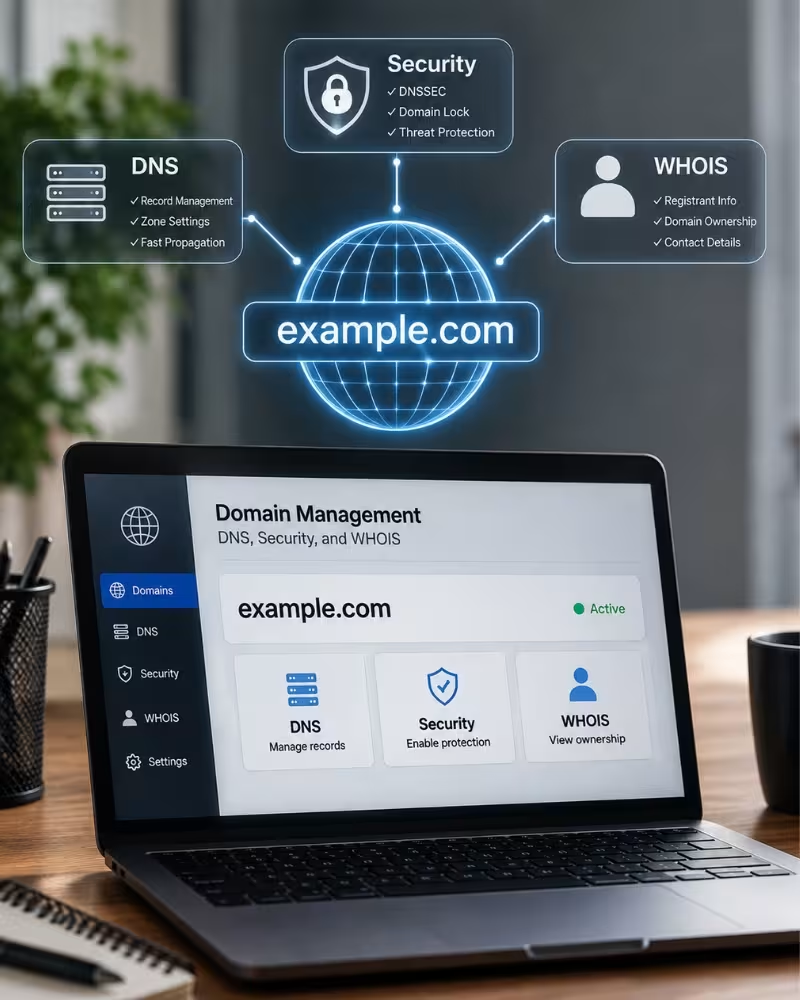
Domain Management: DNS, Security, and WHOIS
Once registered, ongoing management determines whether a domain remains a stable business asset or becomes a recurring source of operational risk. Proper DNS administration, strong security controls, and accurate ownership records help prevent outages, unauthorized changes, and long-term ownership issues.
DNS Management
Effective DNS management starts with maintaining a clear, documented DNS zone file that lists every active record and its purpose. Documenting records from the beginning prevents obsolete entries from accumulating over time and makes future maintenance much safer.
Businesses operating multiple websites or subdomains should keep DNS documentation up to date whenever a service is introduced, modified, or retired instead of relying on institutional knowledge that may disappear as employees change roles or leave the organization.
DNS updates should follow a documented approval process, particularly for business-critical domains. Even a single incorrect IP address or an improperly configured TTL value can result in costly outages that are difficult to troubleshoot. Changes should be tested in staging environments or during low-traffic periods, with a rollback plan prepared before deployment.

Security & WHOIS Protection
Protecting a domain requires multiple security measures working together. Keep Transfer Lock enabled on every domain unless a transfer is actively in progress to prevent unauthorized registrar transfers. Enable WHOIS Privacy Protection to hide registrant contact details from public lookups, reducing spam and social engineering attempts. Use Registry Lock for critical domains to require manual, out-of-band verification before nameserver or ownership changes can be made. Enable Multi-Factor Authentication (MFA) for all domain management accounts and regularly review user access whenever employees change roles or leave the organization.
Businesses that neglect access reviews are disproportionately represented in domain hijacking incidents. Former employees retaining administrative access can make unauthorized changes that often go unnoticed until websites, email services, or other business-critical systems are disrupted.

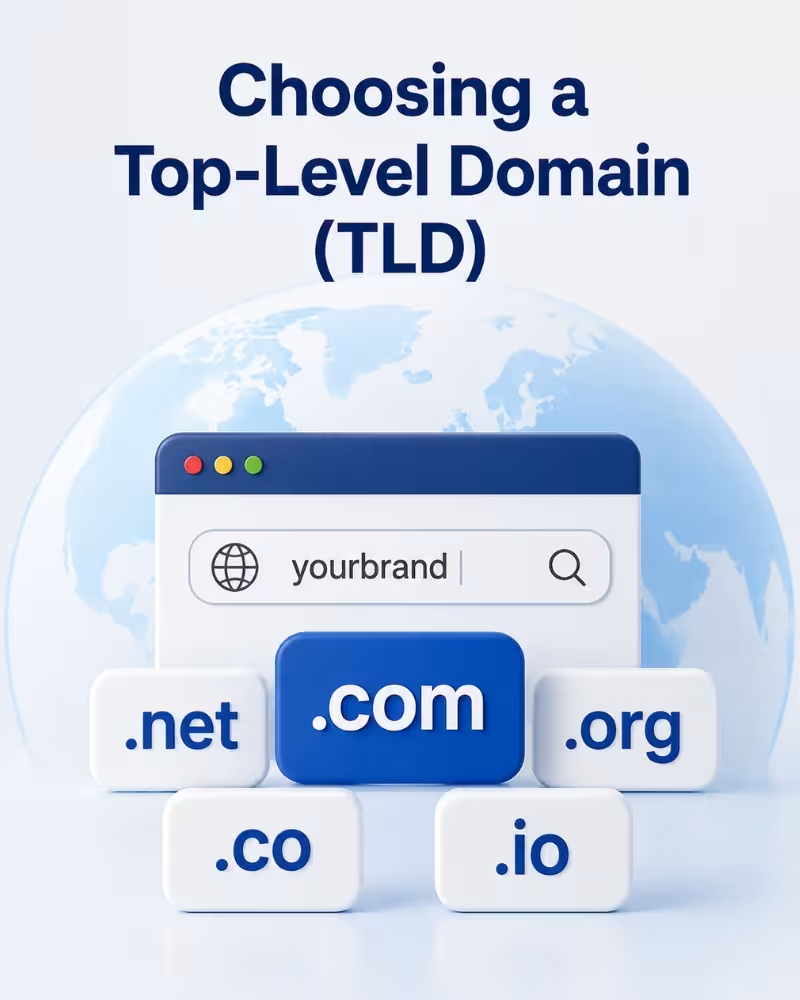
Choosing a Top-Level Domain (TLD)
Choosing the right Top-Level Domain (TLD) is about more than availability. The extension influences brand perception, customer trust, geographic relevance, and long-term growth. While .com remains the default expectation for most users, businesses should evaluate every extension based on their audience, industry, and future expansion plans.

Popular Domain Extensions
The .com extension remains the default expectation for most internet users and continues to be the strongest choice for businesses seeking broad recognition. Even companies operating primarily under another extension often secure the .com version of their brand as a defensive registration to reduce the risk of domain squatters or confusingly similar competitors.
The .net extension was originally designed for network infrastructure providers but is now commonly used as a defensive registration or secondary domain. The .org extension has developed a strong association with nonprofit organizations, so businesses using it as a primary commercial website should consider whether it aligns with customer expectations or whether .com should remain their primary presence.
Country-code Top-Level Domains (ccTLDs) provide strong local relevance and are often more affordable than premium generic domains. Many growing businesses register both a global gTLD and one or two regional ccTLDs to improve brand recognition within local markets while protecting their identity across multiple regions.
Maintaining a small portfolio of strategically selected extensions strengthens brand protection, supports regional marketing efforts, and reduces the likelihood of competitors or third parties registering similar domain names.
Choosing the Right Extension
Modern generic Top-Level Domains (gTLDs) such as .tech, .store, .shop, and .app allow businesses to communicate their industry or purpose directly through their web address. Some extensions also provide additional technical benefits—for example, .app requires HTTPS by default at the registry level.
A software startup using .tech can immediately signal its industry focus, while an online retailer may benefit from .store or .shop. However, businesses should balance this branding advantage against the familiarity and trust that .com naturally carries for many customers.
Before making a long-term decision, businesses should test a shortlist of domain names and extensions with real customers. Extensions that are difficult to pronounce, spell, or communicate verbally can create unnecessary friction when shared over the phone, printed on marketing materials, or displayed on signage.
The best domain extension is the one that aligns with the organization's audience, branding strategy, and long-term growth plans. Selecting an extension based on overall business value rather than simply the lowest registration cost usually delivers stronger marketing and brand recognition over time.
Domain Policies & Regulations
Domain registration, renewal, and transfer operate within a global policy framework established by ICANN, while individual registries apply additional rules for specific domain extensions. Understanding how these organizations work together helps businesses manage domains more effectively and avoid unnecessary compliance or administrative issues.
ICANN Policies
The Internet Corporation for Assigned Names and Numbers (ICANN) establishes the baseline policies that govern generic Top-Level Domains (gTLDs). These include the ICANN Transfer Policy, the Expired Registration Recovery Policy (ERRP), and the Uniform Domain-Name Dispute-Resolution Policy (UDRP), which provide standardized rules that accredited registrars must follow worldwide.
The UDRP offers a faster and more cost-effective alternative to court proceedings for resolving cybersquatting and bad-faith domain registration disputes. The Expired Registration Recovery Policy defines how expired domains progress through grace and redemption periods before permanent deletion.
ICANN also requires accredited registrars to follow standardized registration, renewal, and transfer procedures while maintaining accurate registration records. These policies become especially important during ownership disputes, registrar transfers, and compliance reviews.
Businesses managing valuable domain portfolios should understand these policies or work with a provider familiar with ICANN requirements to reduce the risk of administrative errors during renewals, transfers, or dispute resolution.

IANA & Registry Responsibilities
The Internet Assigned Numbers Authority (IANA) manages the DNS root zone and coordinates the global allocation of Top-Level Domains (TLDs). Although most businesses never interact directly with IANA, its work ensures every TLD functions consistently across the internet regardless of the registrar being used.
Individual registries maintain the authoritative database for their specific TLDs and can establish extension-specific policies that differ from ICANN's general framework. These differences are especially common among country-code Top-Level Domains (ccTLDs), which are often managed by national authorities.
Because registry rules vary between extensions, businesses managing multiple TLDs should understand that renewal periods, transfer requirements, eligibility criteria, and dispute procedures may not be identical across every domain they own.
Working with a domain provider experienced in both ICANN policies and registry-specific requirements helps organizations manage diverse domain portfolios more efficiently while minimizing delays, compliance issues, and administrative complications.

Hosting Solutions
A domain only becomes a functioning website, application, or email system when it's connected to the right hosting environment. Choosing the appropriate hosting solution depends on traffic, performance requirements, scalability, and the level of server management your business is prepared to handle.
Web Hosting Types
Shared Hosting
Best suited for small websites, modest traffic, and businesses working with the tightest budgets.
Multiple websites share the same server resources, making it the most affordable hosting option.
The trade-off is reduced performance during traffic spikes and less isolation from neighboring websites on the same server.
VPS Hosting
Designed for growing businesses that need dedicated resources and greater control over their hosting environment.
Provides root-level access, predictable performance, and flexibility for custom applications.
Costs more than shared hosting but significantly less than maintaining a dedicated physical server.


Cloud Hosting
Ideal for websites and applications with seasonal or unpredictable traffic, such as e-commerce stores during sales events.
Resources automatically scale across multiple servers to maintain performance during demand spikes.
Pricing is usage-based, making regular monitoring important for cost management.
Dedicated Hosting
Recommended for large, resource-intensive applications requiring maximum performance and complete server control.
Provides dedicated hardware without sharing resources with other customers.
Offers the highest performance but also comes with the greatest cost and management responsibility.
Specialized Hosting Solutions
WordPress Hosting
Optimized specifically for WordPress with built-in caching, automatic core and plugin updates, and WordPress-focused security.
Managed WordPress hosting adds backups, performance optimization, and continuous security monitoring, allowing businesses to focus on content instead of server administration.
VPS Hosting for Growing Applications
Supports custom applications, APIs, staging environments, and workloads requiring root-level configuration access.
A strong fit for businesses running resource-intensive services or development environments that have outgrown shared hosting but do not yet require dedicated hardware.

Email Hosting
Business email depends entirely on correctly configured MX and TXT records, including SPF and DKIM.
Poor email authentication can cause legitimate messages to land in spam and may damage sender reputation for weeks, even after the configuration has been corrected.
Microsoft 365 Integration
Connecting Microsoft 365 to a custom domain requires correctly configured MX, TXT, CNAME, and sometimes SRV records.
Small DNS configuration mistakes can interrupt email delivery or calendar synchronization, making experienced setup valuable for avoiding lengthy troubleshooting.
What to Look for in a Domain & Hosting Provider
Choosing a domain and hosting provider is about more than comparing introductory prices. Long-term reliability, transparent pricing, knowledgeable technical support, and effective portfolio management have a far greater impact on business continuity than short-term promotional discounts. The right provider should support your business as it grows while making domain management simple, secure, and predictable.
Key Evaluation Factors
A dependable provider should clearly identify the ICANN-accredited registrars it partners with, offer transparent renewal pricing without hidden charges after the initial promotional period, provide responsive support that goes beyond a generic ticket queue, and employ technical staff capable of explaining DNS records, transfer requirements, and registry lock in clear, practical language.
Businesses should also evaluate operational capabilities by asking about backup retention policies, restoration times following an incident, and whether infrastructure monitoring is proactive. A provider that detects and resolves issues before customers notice them helps minimize downtime and operational disruption.
Comprehensive portfolio management tools including centralized dashboards, renewal reminders, bulk DNS management, and streamlined administration become increasingly valuable as organizations manage multiple domains, websites, and hosting services.
Long-Term Business Considerations
A provider that meets today's requirements should also be capable of supporting future growth. As businesses expand from simple websites to e-commerce platforms, customer portals, or custom applications, the provider should offer straightforward upgrade paths to VPS, cloud, or dedicated hosting without requiring complex migrations.

Support quality becomes even more important during periods of rapid growth or unexpected traffic spikes. Providers offering proactive monitoring, scalable infrastructure, and experienced technical assistance can respond more effectively than those relying solely on manual support processes.
Finally, evaluate how easily you could move your domains or hosting elsewhere if your requirements change. Providers that support straightforward transfers and accessible data exports demonstrate confidence in their services, whereas unnecessary transfer barriers or slow export processes may become significant obstacles when managing a growing domain portfolio.



Future Trends
The domain and hosting industry continues to evolve alongside broader shifts in how businesses build and deploy digital infrastructure. Staying informed about these trends helps businesses make forward-looking decisions rather than optimizing purely for today's requirements, only to find their setup outdated within a few short years.
AI & Domain Industry
AI is increasingly used across domain and hosting platforms for automated security monitoring, DNS anomaly detection, and predictive scaling that adjusts resources before a traffic spike rather than reacting after.
AI-assisted name-suggestion tools speed up brainstorming, but human judgment on trademark risk, pronunciation, and long-term brand fit still matters before finalizing a name.
Next Generation Domain Technologies
Decentralized naming systems built on blockchain remain outside the ICANN framework and lack mainstream browser support — worth monitoring, not yet a near-term replacement for traditional registration.
Meanwhile, continued DNSSEC adoption, the RDAP rollout replacing legacy WHOIS, and tighter integration between domain security and broader cybersecurity tooling all point the same direction: security as a default expectation, not an add-on.
Build Your Digital Identity with Confidence
Piecing together registration from one provider, DNS from another, and hosting from a third often works fine at small scale but the coordination overhead compounds quickly once real revenue and daily operations depend on that infrastructure.
Register a new domain, renew or transfer an existing one, or set up hosting with expert guidance all under one dependable, business-focused provider.
Customer Success Stories
From startups and e-commerce businesses to financial platforms and global enterprises, organizations across different industries rely on dependable domain registration, hosting, DNS management, and security services to support business growth and protect their online presence.
Why Choose Niya Digital?
Niya Digital brings domain registration, renewal, transfer, and management together under a single relationship, backed by partnerships with ICANN-accredited Domain Registrars rather than informal resale arrangements. Whether a business needs to register a new domain, renew an existing portfolio, transfer domains away from an underperforming provider, or set up hosting alongside Microsoft 365 for business email, having a single knowledgeable point of contact removes the friction of juggling multiple logins and inconsistent support quality across separate vendors.
Built for Long-Term Business Growth
Register a new domain, renew or transfer an existing one, or set up hosting and Microsoft 365 today, and bring every part of your online infrastructure under one dependable, business-focused relationship. Whether the immediate need is a single domain renewal or a full portfolio migration involving dozens of domains and multiple hosting accounts, the same principle applies: clear communication, transparent pricing, and technical staff who can explain exactly what is happening at every stage make the difference between a smooth transition and a stressful one.
Consolidated billing and renewal tracking across an entire domain and hosting portfolio.
Support staff who can explain DNS, transfer prerequisites, and security options clearly.
Registrations backed by ICANN-accredited registrar partnerships, not informal resale.
Hosting options spanning shared, VPS, WordPress, and Microsoft 365 email integration.
Proactive renewal monitoring that reduces the risk of lapsed or hijacked domains.
One Partner. Every Domain Service.
From registration and renewals to transfers, DNS management, hosting, and Microsoft 365 integration, Niya Digital provides complete domain lifecycle management backed by experienced technical support.
Case Studies
An online retail business had accumulated domains for its primary storefront, customer support portal, marketing campaigns, and a regional storefront, each registered at a different time. Expiration dates were scattered across the calendar,...
Read More about Domain Renewal Management for a Growing E-Commerce PortfolioA professional services firm had accumulated a domain portfolio across several registrars over years of organic growth, with different departments signing up independently and each maintaining its own login, billing cycle, and support relat...
Read More about Domain Transfer During Vendor ConsolidationA B2B software company relied on a growing stack of connected services — a hosted website, an email provider, several SaaS tools requiring domain verification, and subdomains supporting staging and customer-facing integrations. Different en...
Read More about DNS Management for a Multi-Service Software EnvironmentA financial technology platform processing customer transactions faced a materially different DNS challenge than a typical SaaS company. The priority was not integration sprawl but uptime and auditability. Regulators and enterprise customer...
Read More about DNS Management for a Compliance- and Uptime-Sensitive PlatformA digital commerce business operated a customer-facing website, a transactional platform, corporate email, and several supporting web services. Like many growing companies, the team treated domain hosting and web hosting as functionally ide...
Read More about Domain Hosting and the DNS-vs-Web-Hosting DistinctionAn independent online business owner registered a new domain and, within weeks, experienced a sharp rise in unsolicited calls and emails referencing the registration — a common and under-discussed consequence of publicly queryable registrat...
Read More about WHOIS Privacy Protection for an Independent Online BusinessA consumer technology company identified a short, commercially valuable domain held by another registrant, with the existing registration approaching expiration. The organization wanted the domain if it became available, without dedicating...
Read More about Domain Backorder and Expired-Domain Acquisition StrategyFrequently Asked Questions
Domain hosting is the DNS infrastructure that stores and serves records for a domain — pointing to a website's IP address, routing email, and verifying ownership for third-party services. Web hosting stores the actual files, databases, and code behind a website. All three can sit with different providers and still need to work together for a site to function.